Guide
Desktop Power Modules: A Specification Guide for Buyers
How to specify desk power modules: outlet codes like 3A1U1C, mounting types, regional plugs, UL 962A and circuits, with data from Omni OVAL, NOVA and X.LINKER.
A desktop power module is a housing with AC outlets and USB ports that attaches to a desk, table or panel so people can plug in without reaching under the furniture. Specifying one means choosing the outlet mix, the mounting type, the regional plug standard, the certification and the way it connects to building power. Omni makes power-access products in a dedicated group plant in Yangzhou, Yangzhou Omni Electrical Technology, and its catalog lists nine power-access series. This guide uses them as worked examples.
How to read outlet codes such as 3A1U1C
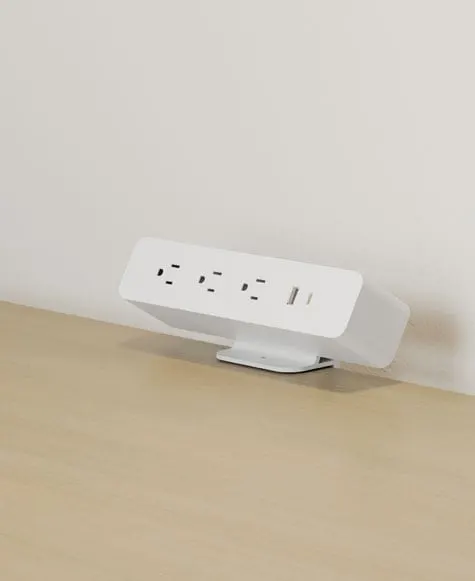
Omni model codes encode the port mix. In codes like OME005.3A1U1C.1, the letters read as A = AC outlet, U = USB-A port and C = USB-C port. So 3A1U1C means three AC outlets, one USB-A and one USB-C.
Configurations in the catalog:
- 3A1U1C: three AC, one USB-A, one USB-C. Used on OVAL (OME005), IPANDA (OME002), NOVA (OME003).
- 2A2U1C: two AC, two USB-A, one USB-C. Used on IPANDA (OME001).
- 2A1U1C: two AC, one USB-A, one USB-C. Used on CREATE (OM-2A1U1C).
- 2A, 1A2U, 2A2U: AC-only or AC plus USB-A variants on CREATE.
Choose AC-heavy mixes for desks with laptops, monitors and docks. Choose more USB for hot-desking and shared tables where people charge phones and tablets.
Mounting types and when to use them
| Mounting type | Where it goes | Best for | Omni series |
|---|---|---|---|
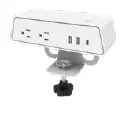
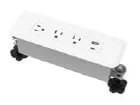
| Clamp mount | Clamps to the desk edge with a knob | Benching, height-adjustable desks, retrofits | OVAL, IPANDA, CREATE, TRIONES, NOVA |
| Freestanding foot or surface mount | Sits on or bolts to the surface | Meeting tables and shared surfaces | OVAL |
| Flush in-desk insert | Fits a hole cut in the worksurface | Conference tables with a clean top | NOVA |
| Cable-management box | Desktop box with outlets inside | Tables where cords must be covered | NOVA |
| Recessed grommet-style box with lid | Sits in a grommet hole, lid closes over cords | Meeting and executive tables | NOVA |
| Under-desk rail | Aluminum rail below the desk; connects modules above | Benching, sit-stand desks | X.LINKER |
| Floor tower or post | Freestanding, with weighted or caster base | Lounges, cafes, training rooms | POWER LINKER, X-POWER |
| Portable unit | Carried to where power is needed | Touchdown areas, temporary setups | RIKONG |
For height-adjustable desks, prefer clamp mounts with enough cord slack for the full travel of the legs, and consider an under-desk rail so one cord runs to the wall rather than several.
Regional plug standards
Omni power modules are available with outlets for US, UK, EU, CN and AU standards. The catalog shows an EU Schuko-style version of TRIONES (OME021), AU/CN-style versions of TRIONES and IPANDA (OME031), and a white or black housing (OME011 is black). When you place an order, state the plug type, the voltage (for example 120 V or 230 V) and the cord length. The plug standard is set at production, so write it on the purchase order.
Certifications to request
Omni states that its powered panels and power modules are UL 962A / cUL listed. UL 962A covers furniture power distribution units, which US specifiers commonly ask for on furniture-mounted power. For other markets, Omni lists CE (EU), UKCA (UK, optional), FCC (US electromagnetic emissions) and SAA (Australia). Certificate numbers for Omni’s UL- and cUL-listed furniture power distribution units, its SAA-approved outlet device and its TÜV-marked cord extension are published on the company facts page. Request the certificate for the exact model code and plug type, because a listing for one outlet configuration does not automatically cover another.
For the UK, Great Britain recognises CE indefinitely and UKCA is optional for the module’s electrical-equipment, EMC and RoHS declarations, while Northern Ireland follows EU rules. A BS 1363 13 A plug itself must be approved by a designated body under the Plugs and Sockets etc. (Safety) Regulations 1994, so a self-declaration is not enough for the plug; third-party certification of sockets and assemblies is voluntary. See the desk power selector for a market-by-market table.
How to verify a desk power module’s certification
Ask the supplier for the certificate number, then look that number up with the body that issued it. A mark printed on a product or a brochure proves nothing until the issuer’s own record confirms the model and the dates.
What each mark covers
- UL 962A covers furniture power distribution units, the category for power built into or fixed to furniture. UL 1363 covers relocatable power taps, which are ordinary plug-in power strips. A furniture-mounted module should be assessed under the first, not the second.
- cUL means the product was assessed to Canadian requirements.
- SAA / RCM is the route into Australia and New Zealand. SAA Approvals is a certification body; the RCM mark shows the supplier has met the regulatory requirements.
- TÜV GS is a voluntary German mark issued after testing by an approved body such as TÜV Rheinland.
- CE and UKCA are normally the maker’s own declaration of conformity. They are not third-party listings, so ask to see the declaration and the test reports behind it. In Great Britain either CE or UKCA can be used, but the BS 1363 plug needs a designated-body approval that a declaration cannot replace.
Where to look up certificates
- UL and cUL: UL Product iQ, https://productiq.ulprospector.com/
- TÜV Rheinland: Certipedia, https://www.certipedia.com/
- SAA: https://www.saaapprovals.com.au/resources/certified-product-approvals-register/
Five steps for a buyer
- Ask for the certificate number, not just the logo.
- Look it up with the issuer.
- Match the listed model and configuration to the item you were quoted.
- Check the validity dates cover your order and delivery.
- Keep the PDF with the purchase order.
Worked example. Omni publishes UL certificate number UL-US-L511049-11-50219102-1 on its company page, with the scope “Furniture Power Distribution Units” and validity to 2027-03-26. Enter that number in UL Product iQ, confirm the record shows that product category, then check that the listed models include the module code and plug type on your quotation. The same page lists the cUL, SAA and TÜV Rheinland numbers.
Component or complete desk. A certified power module means the module is certified; it does not certify the complete desk it is mounted on, so ask which of the two a certificate refers to.
Cable management
Power is only useful if cords are controlled. Look for these features in the series:
- LUNA meeting tables route cables through a hollow leg into an under-table central trough.
- MAGICK benching has a sliding tabletop over an under-surface cable tray and a vertical cable spine.
- COBO benching uses an efficient power and cable-management layout with base or ceiling power sources in single-circuit or four-circuit configurations.
- NOVA offers a cable-management box with integrated outlets.
Feeding power to the furniture
A module is only as good as its supply. The DOCKER power beam distributes power and data on an 8-wire design in modular setups of one to four circuits, and can be adjusted to meet California Title 24 power requirements. Four circuits let you split the load across a long bench. X.LINKER connects clamp modules to an under-desk rail in kits such as OME011+OME022-6 and OME001+OME022, so the modules above the desk connect to a single rail below it.
Matching modules to use cases
- Benching with sit-stand desks: clamp modules such as OVAL or IPANDA on each desk, joined to an X.LINKER rail below so there is one cord per desk group.
- Conference and meeting tables: NOVA flush in-desk or grommet-style versions keep the surface clear, while the cable-management box covers cords on top.
- Lounges, cafes and touchdown areas: POWER LINKER towers (some with a side-table ledge) and X-POWER posts, including a mobile stand on casters.
- Temporary or mobile needs: RIKONG portable units for rooms without fixed power.
Work out the power budget first
Add up the rated current of everything that will plug into one run: laptop chargers, monitors, docks and phone chargers. Compare the total with the circuit rating and the module’s rated current. A bench with four stations, each with two monitors and a dock, loads a circuit much more than a lounge table with phone charging, which is why DOCKER and COBO offer one to four circuits per run. Ask Omni for the rated current of each module on the quotation.
Specifying checklist
- AC outlet count and type (US, UK, EU, CN or AU)
- USB-A and USB-C count; confirm the output wattage per port on the datasheet
- Total rated current and the number of circuits on the feed
- Mounting type and the desk edge or hole dimension it must fit
- Housing color (white or black) and any logo requirement
- Cord length, plug and voltage
- Certificate for the exact model code: UL 962A / cUL, CE (UKCA optional for Great Britain), FCC or SAA
- Cable-management route to the wall, floor or beam
- Cartons per container and warranty terms in the quotation
Send your list of desks and destination markets to Omni’s sales engineers: Request a quote.